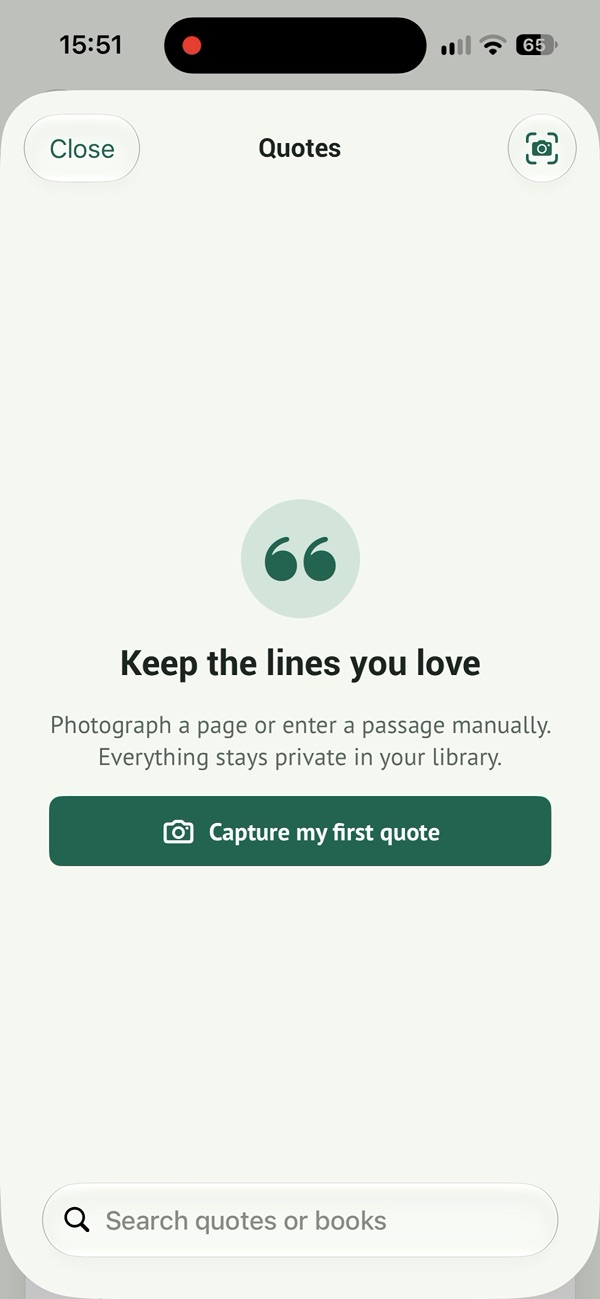
Save and find your book quotes on iPhone
Photograph the passage
From quotes, take a photo or choose an image from your photo library. Text recognition saves you from typing the whole passage. You can also enter a quote manually.
Read it before saving
Check punctuation, accents and line breaks. A blurry photo or curved page can cause recognition errors. Keep just the passage you want and associate it with the right book.
Find your favorite words again
Search your quote library for passages or books. Read Today also lets you create a share card. In your own notes, keep a little context to remember why the passage mattered to you.
Give your quote one more read
Check the recognized text against the book. Keep the author’s words separate from your own comments, and credit the author and book when sharing an excerpt.
Ways to organize and find your book quotes ↗
Save your first quote
Free to download · In-app purchases
Scan with your iPhone camera to find the app.